How to Configure Fibre Channel SAN Storage with Multipath and High Availability on Proxmox VE 9
Its time to change mind, lot of customers thinking about the change, the change from the VMware vSphere to Proxmox. In this post, we try to configure a 2 node Proxmox VE 9 cluster, with shared storage, which is directly connected via Fibre Channel. In my lab i have 2x DELL R640 servers and for the storage i use Huawei Dorado 3000V6 NVMe. I installed a latest PVE 9.1.1 on all the pve nodes. The management will be on the 1 GbE, but the migration and cluster network will be on the dedicated 10 GbE network.
Lets start with the Huawei Dorado 3000V6 storage.
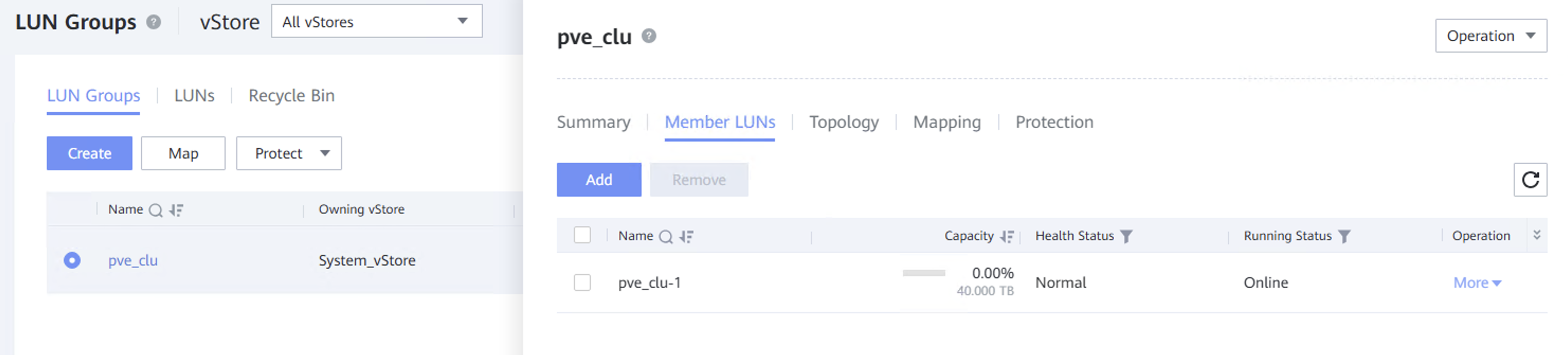
I created a one 40 TB lun, which is member of the lun-group pve-cluster.
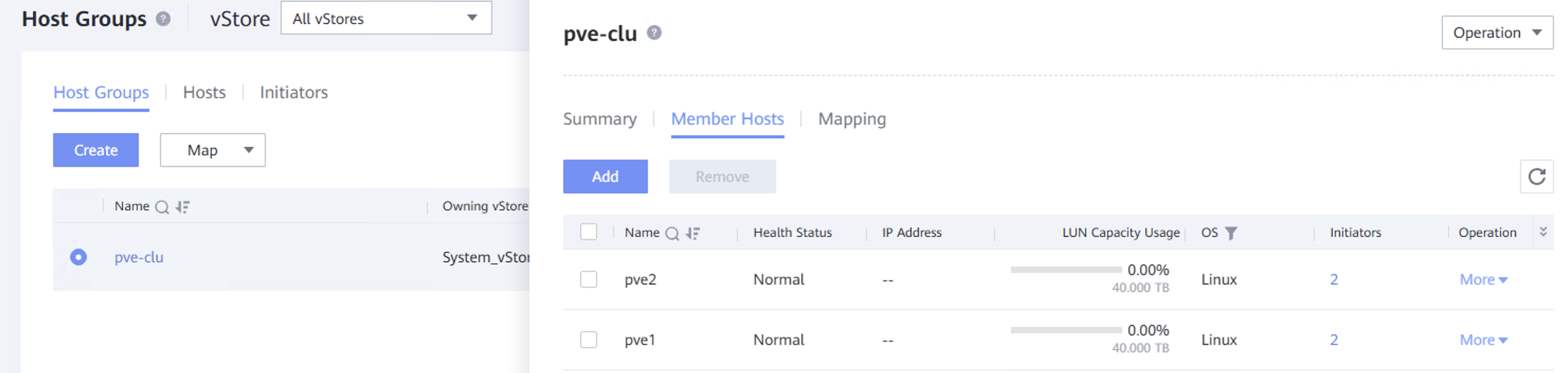
The step 2 was create a hosts for all pve nodes, in my case pve1, pve2 and add it to the host-group pve-cluster.
If you want to find out which wwn belongs to which server, use the command:

cat /sys/class/fc_host/host*/node_name

After these two steps i added the pve-cluster lun-group to the pve-cluster host-group.
Now we need the rescan the FC HBA

for host in /sys/class/scsi_host/host*; do echo „- – -“ > $host/scan; done
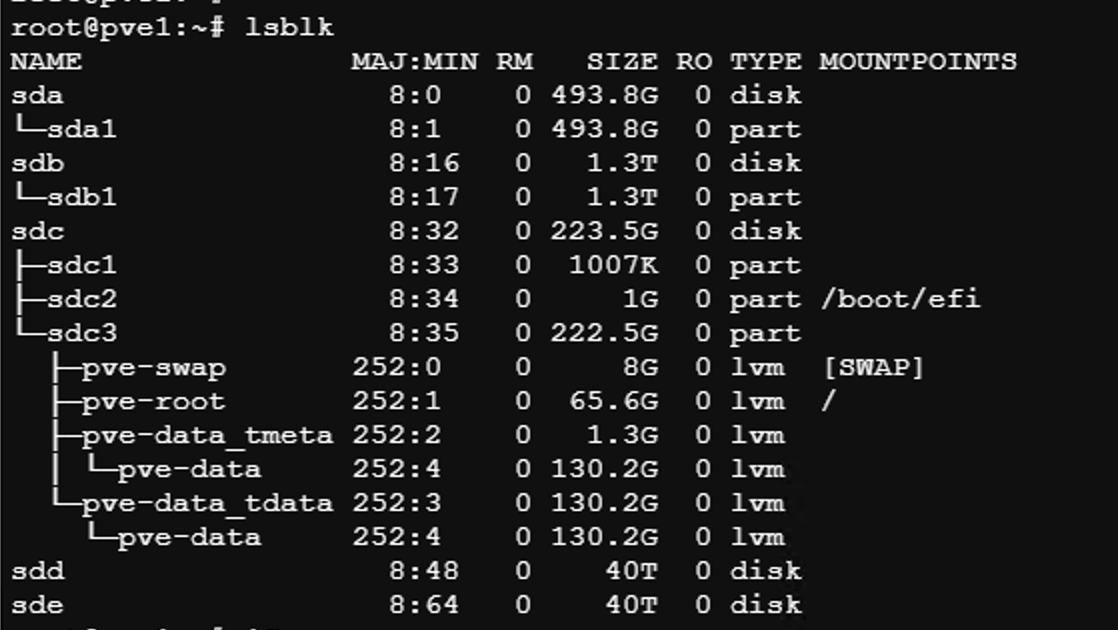
from the node pve1 you can see the publicated 40 TB lun, but the lun we see twice, because we dont have configured multipath on the pve1. so we see the sdd and sde.
Therefore, to set up multipath correctly, it is necessary to verify the SCSI ID and WWID. We can find this out with the command:
udevadm info --query=all --name=/dev/sdd | grep ID_WWN
udevadm info --query=all --name=/dev/sdd | grep ID_WWN
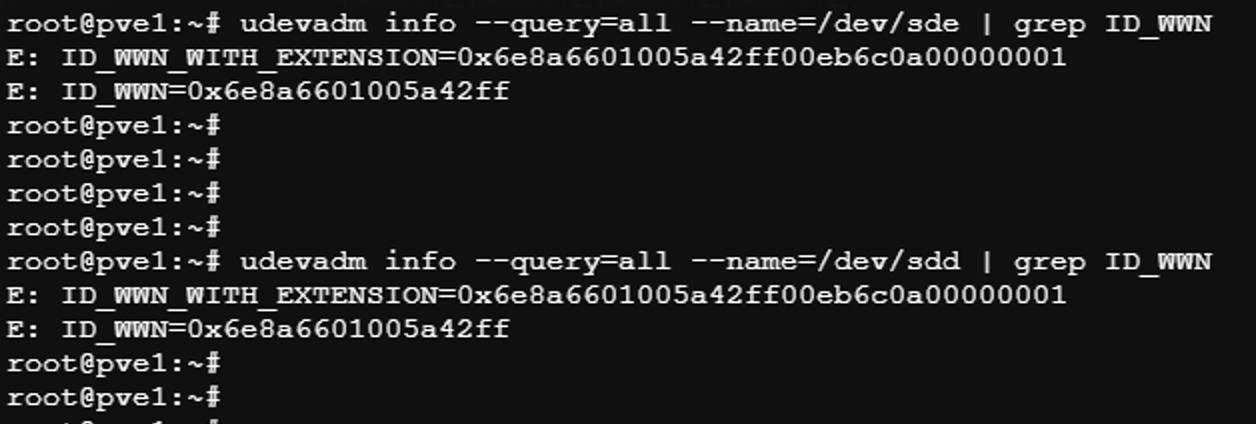
Time to install multipath tools, enable it and start the service.
apt install multipath-tools
systemctl enable multipathd
systemctl start multipathd
now we create a multipath.conf file in the /etc/ – in my case :

root@pve1:~# cat /etc/multipath.conf
defaults {
find_multipaths yes
user_friendly_names yes
}
blacklist {
devnode „^sda$“
devnode „^sdb$“
}
devices {
device {
vendor „HUAWEI“
product „XSG1“
path_grouping_policy multibus
path_checker tur
no_path_retry queue
rr_min_io_rq 1
rr_weight uniform
}
}
multipaths {
multipath {
wwid „6e8a6601005a42ff“
alias „fc_lun_40tb“
}
}
when we try the command multipath -ll we can see the 40 TB volume:

now we create physical volume (PV) and volume group (VG) – dont do it on the another nodes !
pvcreate /dev/mapper/mpatha
vgcreate vg_fc40t /dev/mapper/mpatha
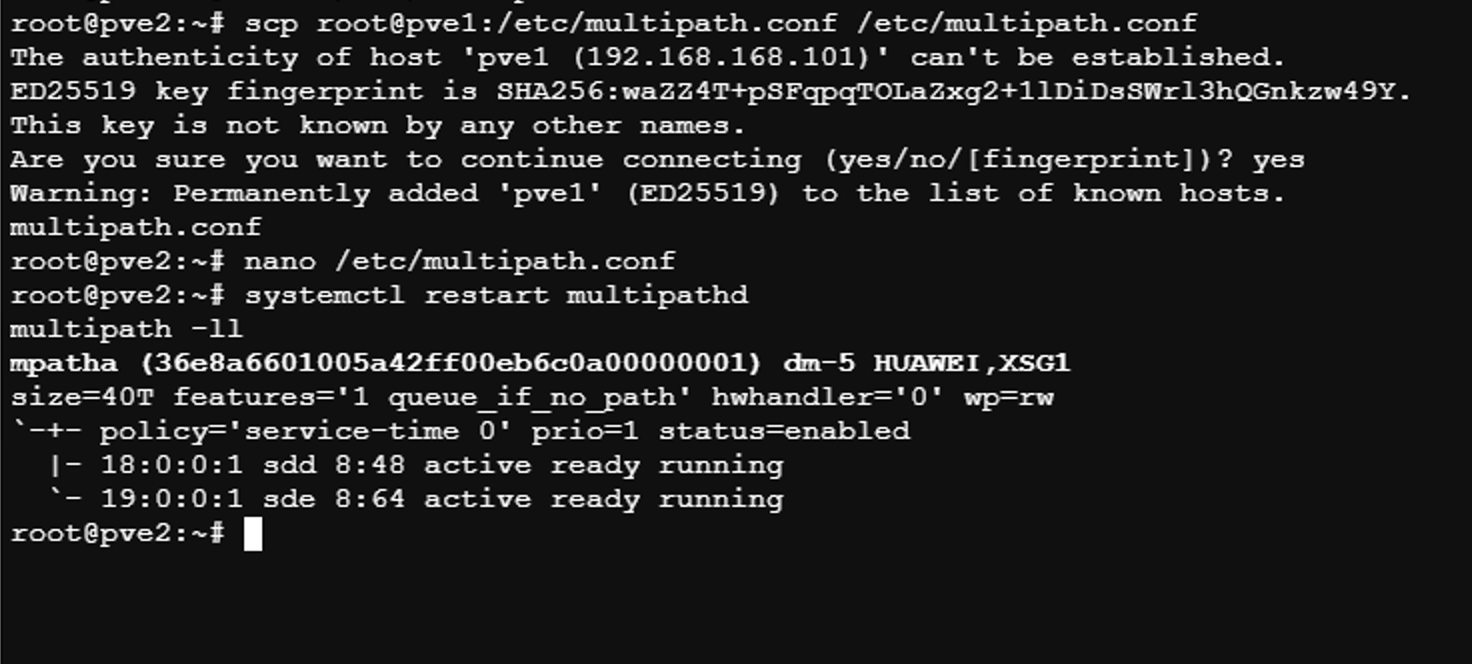
we need configure the node pve2 same way like pve1, so we install the multipath, enable and start it, after we copy the multipath.conf from the node pve1 „scp root@pve1:/etc/multipath.conf /etc/multipath.conf„, restart multipath with „systemctl restart multipathd„and now we can verify, if working with „multipath -ll“
The last phase is the add our shared storage to /etc/pve/storage.cfg – that file is replicated to the all nodes, which is in the cluster. So you dont need add these lines on each host.
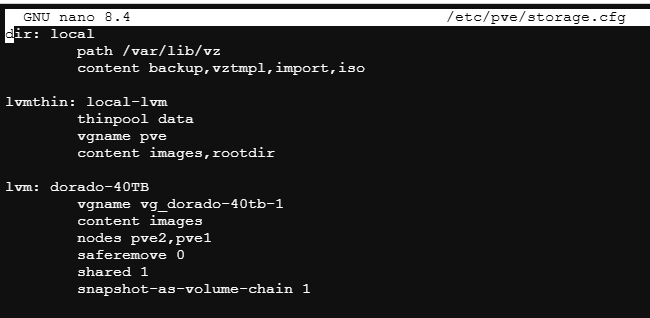
lvm: dorado-40TB
vgname vg_dorado-40tb-1
content images
nodes pve2,pve1
saferemove 0
shared 1
snapshot-as-volume-chain 1
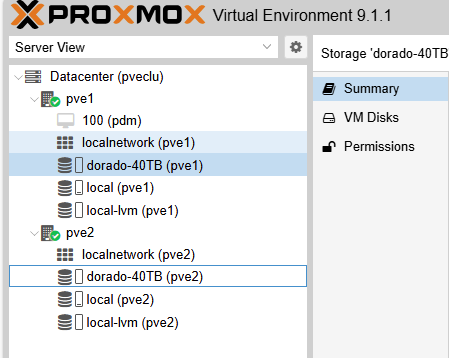
For some reason, the second node shared storage „dorado-40TB“ was „unknown“ and in the storage tab was „Active – NO“ but reboot of the pve2 solved the issue. I read some post about this, and is known issue.
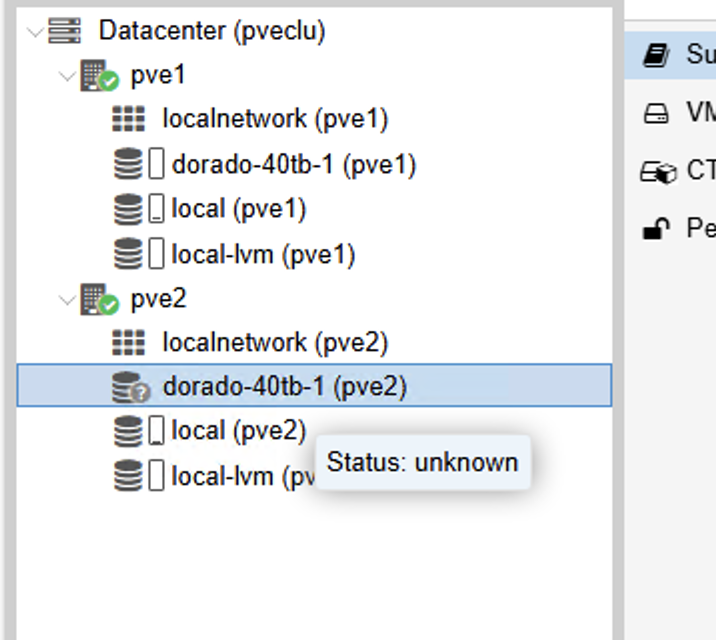
Now i have a shared fibre channel SAN storage with multipath and HA on the Proxmox VE9